Comparison
Shippo vs Pirate Ship for your actual parcels
Compare Shippo vs Pirate Ship costs, carriers, user access, and claims. Use the parcel worksheet to model software and postage together.

For a US store shipping USPS and UPS parcels, the Shippo vs Pirate Ship decision starts with a $0 software option. Pirate Ship charges no subscription. Shippo adds FedEx, DHL Express, and connected carrier accounts, with a free Starter tier and volume-based Pro plans. Use our shipping software guide if you also need to compare wider fulfillment requirements.
A hypothetical 20-cent postage difference across 200 parcels is $40. That can outweigh a $19 subscription. Choosing from the subscription price alone can therefore put the more expensive option on the packing bench.
This comparison combines official documents, captured public pages, and editable cost models. Sources and screenshots were checked on 18 November 2026. We have not obtained account-specific postage quotes or bought test labels. The examples show how to decide once you have those quotes.
Download the parcel quote sheet and enter the products you actually ship as you compare the two services.
Shippo vs Pirate Ship at a glance
Pirate Ship sells USPS and UPS postage originating from US addresses. International destinations are compatible with that US-origin requirement. Stores dispatching from another country need a service that supports their origin. Pirate Ship origin restrictions.
| Decision | Shippo | Pirate Ship |
|---|---|---|
| Software for up to 30 labels | Starter, $0 | $0 |
| Software for 200 labels | Pro, $19 on monthly billing | $0 |
| Documented carriers | Includes USPS, UPS, FedEx, and DHL Express | USPS and UPS |
| Existing carrier account | Supported accounts can connect | Compare its offered USPS and UPS rates |
| Team access | One Starter login, more on Pro | Unlimited full-access users |
| Store connections | Store integrations included | Shopify and WooCommerce integrations listed |
| Checkout shipping price | Verify the selected store setup | Integration leaves your checkout rates unchanged |
| Claim route | Depends on carrier account and coverage | USPS or InsureShield, depending on coverage |
| Decision evidence | Supported service plus combined bill | Supported service plus combined bill |
Shippo lists discounted USPS, UPS, FedEx and DHL Express services and connected carrier accounts on its pricing page. Carrier availability still depends on the origin, service and account. Shippo pricing.
Pirate Ship's software has no subscription, minimum or label markup. Postage remains payable. Pirate Ship costs.
If FedEx is essential, the carrier requirement already favors Shippo. If USPS and UPS cover the job, compare the bill before upgrading.
Pirate Ship has the lower software fee
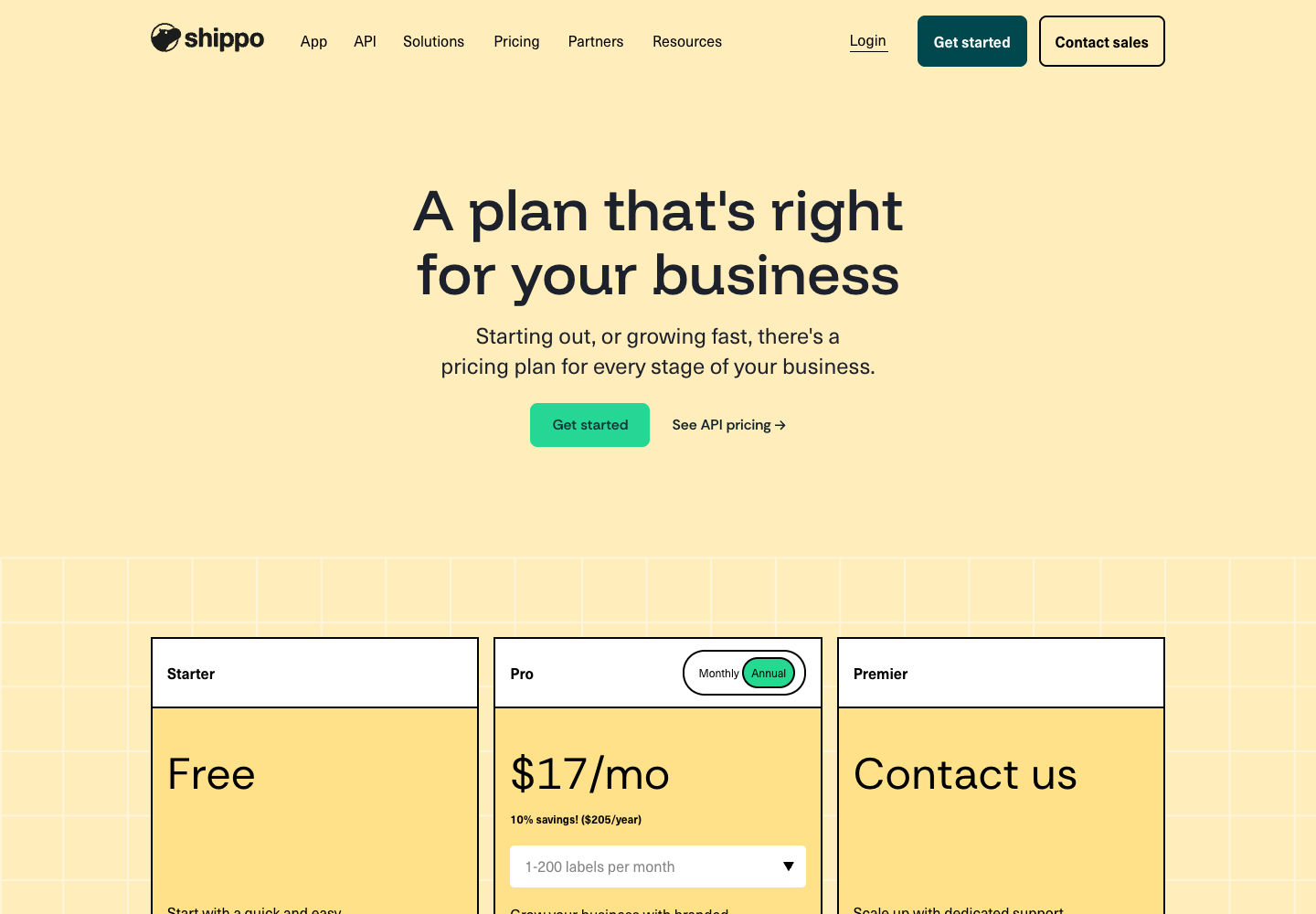
The Shippo screenshot shows the annual 1–200-label selection.
Its $17 display and $205 upfront invoice describe that billing choice. The monthly tiers below are a separate comparison.
These are recurring monthly Pro prices for labels purchased directly in the Shippo web app. Check the next tier as well as your usual volume when seasonal demand approaches a boundary.
| Labels per billing cycle | Shippo monthly software fee | Pirate Ship software fee |
|---|---|---|
| Up to 30 | Starter, $0 | $0 |
| 31 to 200 | Pro, $19 | $0 |
| 201 to 500 | Pro, $29 | $0 |
| 501 to 1,000 | Pro, $54 | $0 |
| 1,001 to 2,500 | Pro, $79 | $0 |
| 2,501 to 5,000 | Pro, $139 | $0 |
| 5,001 to 10,000 | Pro, $199 | $0 |
Shippo uses 30-day subscription cycles. Its documentation says exceeding an allowance moves the account to the higher tier from the next cycle. The first Pro tier costs $205 upfront on annual billing, and Shippo does not refund unused subscription time. Above 10,000 labels, request pricing. These web-app terms come from the Shippo subscription overview.
On Starter, labels purchased through your own connected carrier account incur an extra $0.05 each. Thirty such labels add $1.50. Shippo removes this software charge on Pro and Premier. Labels bought through Shippo's carrier accounts follow a different cost path. Shippo carrier-account fees.
The public Pro card says up to five logins, while the help-center table assigns higher user counts to higher volume tiers. Confirm the selected tier in account settings before purchasing it for a team.
For a store growing from 25 to 50 parcels, the subscription becomes a new operating cost.
Recalculate at the volume you expect to sustain, including seasonal peaks. Keep the carrier account and coverage selection consistent across those quotes. A comparison based on a free introductory period will describe a different bill from the one you renew.
The shipping amount collected from your customer belongs in a separate column.
Charging a flat delivery fee at checkout does not make the purchased label cost flat. If the store subsidizes part of the label, record that contribution in the store pricing model so the software decision does not hide a margin problem.
Calculate the postage saving that covers Pro
For the same set of shipments, calculate each tool's total as software plus postage, purchased coverage and later carrier adjustments. Include paid pickups or other services where you use them.
The postage saving needed per parcel is the extra software fee divided by the number of comparable parcels. With identical coverage and other charges, the monthly Pro thresholds are:
| Shipments | Pro fee | Average saving needed on each label |
|---|---|---|
| 200 | $19 | $0.095, about 9.5 cents |
| 500 | $29 | $0.058, about 5.8 cents |
| 1,000 | $54 | $0.054, about 5.4 cents |
For an illustrative 200-parcel cycle, suppose Shippo postage totals $1,360 and Pirate Ship totals $1,400.
Shippo's $1,379 combined bill is $21 lower. If Shippo postage instead totals $1,390, its combined bill is $1,409, leaving Pirate Ship $9 lower. These invented inputs demonstrate the calculation and make no claim about either tool's rates.
Download the software worksheet and open it in a spreadsheet app.
Enter your cycle volume. It selects the documented monthly tier and calculates the saving required per label. Annual billing needs its own current quote, particularly if volume changes through the year.
Labor can also justify a fee. At an assumed $30 an hour, a $19 plan needs to save 38 minutes per cycle to pay for itself through labor alone. Measure the difference on actual order imports, label corrections and tracking updates. Include only time the team can use elsewhere.
A plan can also change the work around a label.
If a paid feature removes repeated address copying, compare the old and new process on the same orders. Start timing when an operator opens an eligible order and stop after tracking reaches the store. Include corrections, rather than timing only the fastest successful example.
An owner who spends less time at the bench might use that time for customer messages or inventory work.
A staffed warehouse may need fewer paid hours before the same saving changes payroll. State which outcome you are valuing. The fulfillment operations guide helps separate a label tool from the broader work of picking, packing, and dispatching orders.
Quote six representative parcels in both tools
Use the same dispatch date, full addresses, packed dimensions, weight, residential status and service.
The following sample routes provide a starting set. Replace them with your own products and delivery destinations.
| Parcel | Route | Packed size in inches | Packed weight | Service to compare |
|---|---|---|---|---|
| Light mailer | Austin to Dallas | 8 × 6 × 1 | 4 oz | USPS Ground Advantage |
| Small box | Austin to Dallas | 9 × 6 × 3 | 12 oz | USPS Ground Advantage |
| Distant small order | Austin to Portland, Maine | 12 × 9 × 4 | 2 lb | USPS Priority Mail |
| Distant medium order | Austin to Portland, Maine | 14 × 10 × 6 | 5 lb | UPS Ground |
| Heavy local order | Austin to Dallas | 18 × 12 × 8 | 10 lb | UPS Ground |
| Required additional carrier | Austin to Portland, Maine | 12 × 10 × 4 | 3 lb | FedEx Ground |
The parcel quote sheet provides blank fields for both quotes, quote date, coverage and expected cycle quantity.
An unavailable service should remain marked as unavailable. A missing quote cannot support a zero-cost comparison.
For a store whose volume is mostly light mailers, give those mailers most of the weight in the calculation.
An unweighted average of six very different parcels can reverse the decision. Multiply each comparable label's cost by the number of that parcel type you expect to dispatch, then add the cycle's software fee.
Use the same quoting procedure in both tools:
- Build the sample from recent fulfilled orders and include your most expensive recurring parcel.
- Record quotes for matching services and identical optional coverage.
- Keep unmatched services separate and decide how you would ship those orders.
- Compare the weighted totals with the subscription included.
- After using the chosen tool, reconcile quoted prices against settled charges and adjustments.
Consider an illustrative mix of 180 mailers and 20 boxes.
Suppose Shippo saves $0.15 on each mailer but costs $0.50 more on each box. The postage saving is $27 minus $10, or $17. Adding a $19 plan leaves Shippo $2 more expensive for that mix. These are hypothetical differences, not observed rates. They show why the mix matters even when one service wins on the most common parcel.
Keep dimensions tied to the packed product. A larger replacement carton, extra cushioning, or a second parcel changes the input. Quote a multi-parcel order as the parcels you will actually hand over. For an order split across two dispatch dates, compare both labels and the time spent keeping the customer informed.
You can collect quotes before purchasing postage. The broader ecommerce shipping software guide covers requirements beyond this two-tool decision.
Pirate Ship supports a team with full-access logins
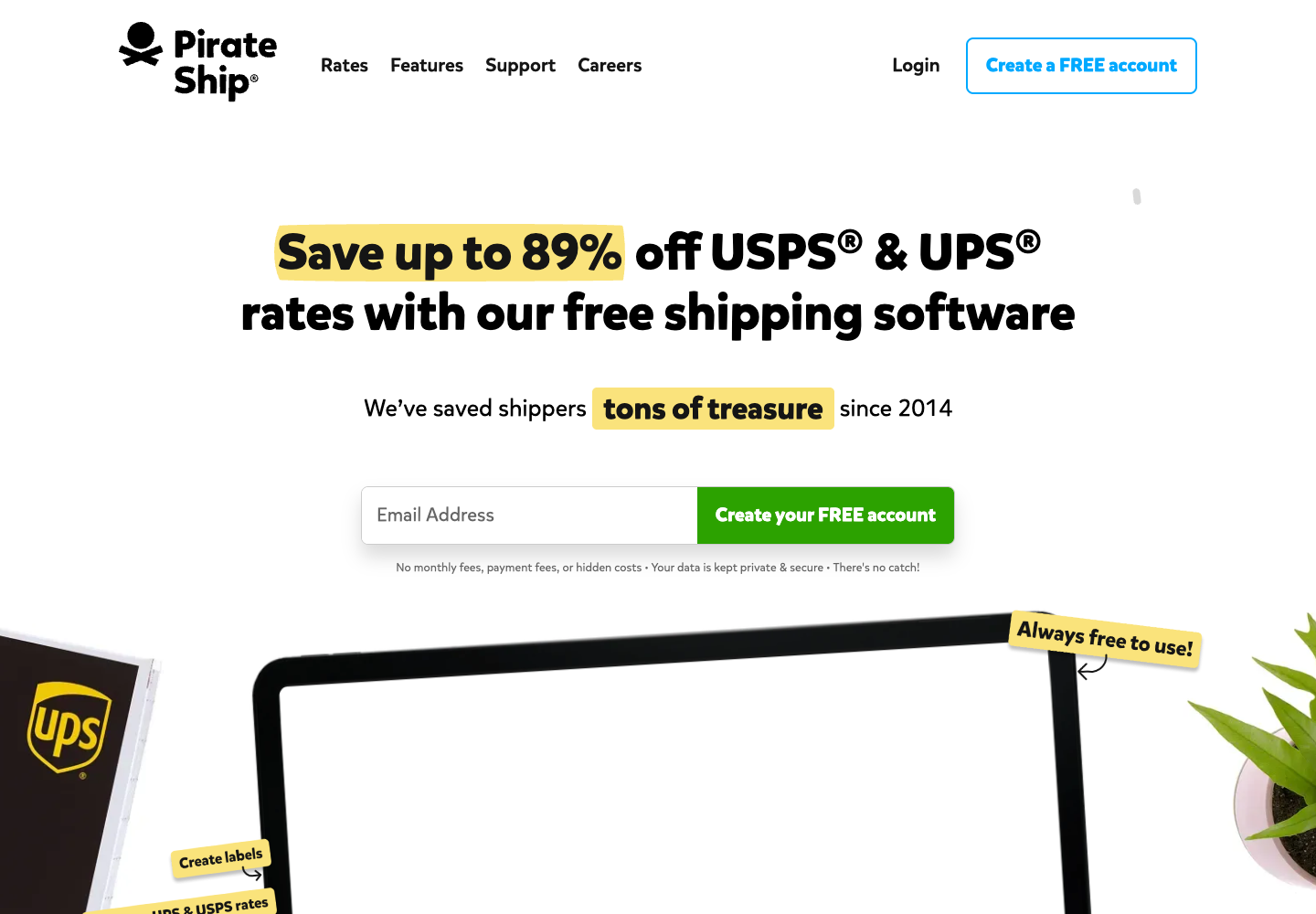
Pirate Ship's public homepage establishes its USPS, UPS, and free-software offering. The account-permission details below come from its separate support documentation.
Pirate Ship documents integrations with Shopify and WooCommerce, among other platforms. Buying a label sends tracking back and updates the connected order's fulfillment status. Its integration does not set the shipping amount shown in your store's checkout. Pirate Ship integrations.
Before moving an entire queue, check how one normal order and one exception appear in the shipping tool.
Confirm the shipping address, items, package selection and tracking destination. A subscription saving disappears quickly if someone has to repair each import by hand.
A second packer alone does not require a move to Shippo Pro. Pirate Ship allows unlimited user logins, but additional users receive the account owner's permissions, including access to payment methods and the ability to invite others. Check whether that level of access fits your team. Pirate Ship user permissions.
A useful import check includes an order whose address changed after purchase and an order that should stay unfulfilled.
Watch which version reaches the label queue and what buying a label does to the original order. Use a test order or another controlled record that will not confuse a customer. Record the result before moving the live queue.
If an order management system, enterprise resource planning system, or warehouse management system also updates that order, assign one system to own the fulfillment event.
The OMS, ERP, and WMS comparison explains those responsibilities. Two tools acting on the same order can create duplicate messages or an incorrect status even when the label itself is valid.
Shippo Pro's listed benefits include branded tracking and notification emails. Put a specific task beside each paid feature you expect to use, then measure it during a trial. Shippo plan features.
Match support access to the work you need
Shippo lists email support on Starter and additional chat and phone access on Pro. A support channel can matter when an operator is blocked at dispatch, but its presence does not establish the time it will take to solve your specific issue. Check the current plan and ask a concrete question during evaluation. Shippo support by plan.
Prepare the question using a representative exception. Examples include a rejected address, a carrier adjustment you cannot reconcile, or an order that imported twice. Keep the tracking number, order identifier, and relevant settings together. That gives support something it can investigate and helps your own team describe the same problem consistently.
Separate a printing problem from a delivery problem. A software support team may be able to help with the first while the carrier investigates the second. Your customer still needs a response in both cases. Decide who can authorize a replacement and who records its cost before a delayed parcel becomes a repeated handoff between teams.
For recurring delivery messages, the order-tracking automation guide covers status information and escalation. Use it to assess the work around a label rather than expecting a different subscription to resolve every customer contact.
Assign a claim owner before the first exception
Pirate Ship directs included USPS insurance claims to USPS. Its UPS carrier-liability claims and separately purchased InsureShield claims go through the InsureShield portal. Included limits vary by service, and additional coverage has its own terms. Save the policy and instructions for the label you actually buy. Pirate Ship claim instructions.
For XCover purchased through Shippo, open the shipment and select File a claim to continue on XCover's website. Without purchased coverage, Shippo directs merchants to its support team and carrier-specific process. Your own carrier account can change the filing route. Shippo claim instructions.
Keep the invoice, tracking history and damage evidence with the order. Assign someone to the customer response and someone to the claim. A where-is-my-order (WISMO) request needs an answer while the carrier investigates. The WISMO definition helps distinguish the customer's request from the separate reimbursement process.
The claim file and the customer record should agree on what happened. Note the product, its value, the dispatch date, the delivery scan, and any replacement already sent. Retain the packaging evidence requested by the applicable process. Check the claim deadline for the actual service and coverage, because one general deadline cannot safely stand in for every policy.
Keep refund decisions tied to the store's policy and customer obligation. An unresolved carrier claim should not become the only instruction your support team has for responding. The Shopify delivery exception playbook provides a separate way to plan escalation and customer updates.
Move orders after a short controlled pilot
Use a small set of orders that represents normal work and the exceptions you see repeatedly. Include a single-item order, a multi-item order, an address correction, and an order awaiting stock. Agree on the expected outcome for each before running the import. The pilot should reveal which records reach the queue, who can act on them, and where tracking is written back.
Keep the existing setup available while you reconcile the pilot. Give each test record an owner and record the label or tracking identifier against the original order. A clean label print is only one result. Check that the right items remain available for later fulfillment and that the customer receives the intended message once.
For an ecommerce team, these are useful acceptance checks:
- The imported address and items match the order selected for dispatch.
- Only an authorized operator can purchase or refund a label.
- Tracking reaches the intended order without a duplicate customer message.
- The label charge and any adjustment can be reconciled to that order.
- Someone owns the exception when an import or delivery status fails.
For each pilot order, save enough detail to explain the result later. Keep the date, service selected, packed dimensions, weight, quoted amount, and any extra coverage beside the original order. After dispatch, add the settled charge and the tracking outcome. This gives you a record you can compare with the other tool without relying on memory.
Give exceptions the same attention as successful labels. Record the work needed to correct an address or reconcile a changed charge, and identify which team handled it. A pilot that excludes those orders will make the faster process look better while hiding the time that caused you to consider switching.
Measure the same checks in your current tool. That gives you a fair comparison of handling effort and helps explain any extra subscription cost. If stock accuracy causes most of the corrections, investigate the inventory management setup before attributing the work to a label service.
Choose from the filled quote sheet
Pirate Ship fits a US-origin USPS and UPS operation when its rates, integrations and account permissions suit the store. Multiple packers can use individual logins within its free software model.
Shippo Starter fits a store within the 30-label allowance that needs its carrier options or account connections. Pro becomes worth evaluating above that allowance or when its paid features save enough postage or handling time to cover the subscription.
If your decision depends on order routing, splitting or combining shipments, use the separate ShipStation versus Shippo comparison. For these two tools, complete the representative quotes, add the correct plan fee, and choose the supported setup with the lower operating cost.
Open the software cost worksheet, enter your expected cycle volume, and keep it beside the completed parcel quotes.