Best tools
Best AI Tools for Ecommerce Product Descriptions
Compare Shopify Magic, Jasper, Copy.ai, Writesonic, Hypotenuse, and custom GPT pipelines for ecommerce product descriptions. Pick by workflow, data, and risk.
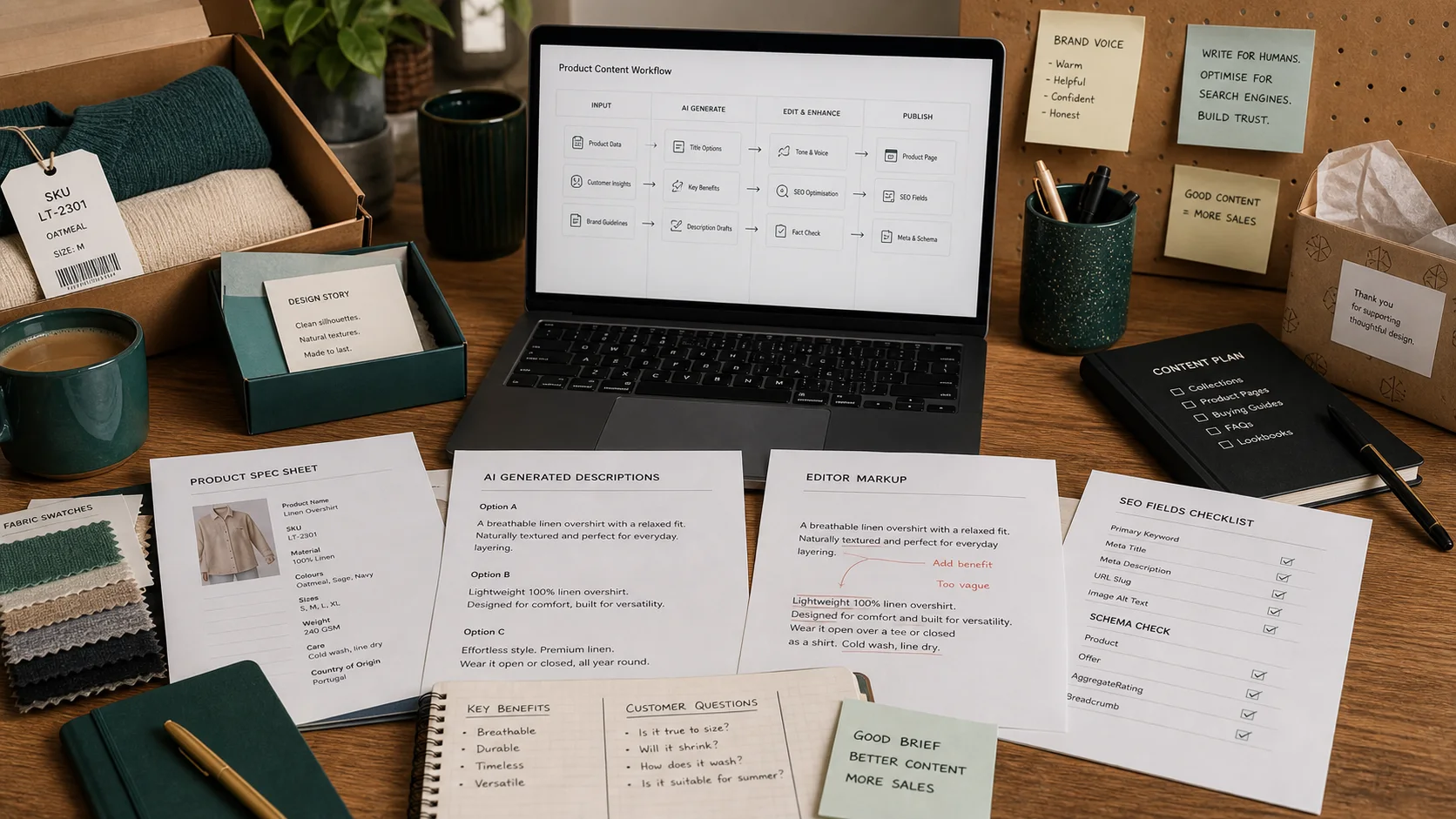
The real decision is not which AI writes the prettiest paragraph. It is which workflow turns your product data into accurate, on-brand, findable copy without inventing specs, duplicating pages, or forcing your team to rewrite every draft from scratch.
Product descriptions do hard work. They have to explain fit, material, compatibility, care, shipping limits, and why this SKU beats the alternative. They also feed search engines, ad landing pages, comparison tables, and return-policy disputes. A bad description does not just bore shoppers; it drives support tickets, returns, and thin-content penalties. That is why the best tool for your store is the one that fits your catalog structure, your review bandwidth, and your platform—not the one with the slickest demo.
In this guide we compare Shopify Magic, Jasper, Copy.ai, Writesonic, Hypotenuse, and a custom GPT pipeline tied to a product feed. We will look at when each wins, when each fails, what setup work it really needs, and what proof you should demand before signing a contract.
TLDR
- Use Shopify Magic if you run Shopify, your product data is already clean, and you have a human reviewer for every draft.
- Use Jasper or Copy.ai when brand voice, campaign copy, and repeatable editorial workflows matter more than raw speed.
- Use Writesonic or Hypotenuse for budget bulk generation, but only if you can afford a strict fact-check layer.
- Build a custom GPT pipeline with product feed constraints when you have structured data, engineering or data-ops support, and a catalog large enough to justify owning the workflow.
- Add a PIM such as Akeneo, Plytix, or Salsify if your core problem is product data structure, not sentence generation.
- Use Semrush or Surfer to check SEO coverage, not to write final copy.
- Never publish AI-generated descriptions without fact checks, duplicate checks, and owner approval.
Who this guide is for / who should skip it
This guide is for Shopify operators, catalog managers, and ecommerce editors who manage roughly 50 to 5,000 SKUs and need to produce or refresh product copy faster without sacrificing accuracy. It is also for teams evaluating AI copy tools who are tired of vendor demos that hide the review and data-cleaning work.
Skip this guide if you run a one-product store, if your brand voice is so idiosyncratic that only a senior copywriter can write it, or if you have no product data beyond a title and a single photo. In those cases, a blank page and a good writer are still the fastest path.
Comparison table
| Tool | Best fit | Strength | Caution | Proof to demand in demo |
|---|---|---|---|---|
| Shopify Magic | Shopify stores with clean data | Native admin workflow, no import/export | Locked to Shopify; weak on complex attributes | Generate 10 descriptions, show metafield pull, similarity report, and review queue |
| Jasper | Brand-led teams, campaigns | Brand voice training, reusable templates | Price and setup load; not a Shopify native tool | Load brand guide, generate across categories, export to Shopify format, show approval flow |
| Copy.ai | Marketing teams, prompt tinkerers | Flexible prompts, lower cost | Easy to produce generic copy without strict governance | CSV-to-description prompt, 20-SKU batch, locked attributes, version history, similarity score |
| Writesonic | Budget bulk generation | Fast templates, lower price point | Thin copy, limited governance, high fact-check burden | 50-description bulk run, tone/banned-word controls, CSV export, duplicate check, approval flow |
| Hypotenuse | Image-heavy catalogs | Image-aware generation, ecommerce integrations | Accuracy depends on feed quality; may misread visuals | Image+feed generation, variant detail handling, brand voice config, Shopify mapping, review queue |
| Custom GPT + product feed | Large or multi-brand catalogs | Full control, deterministic prompts, lower per-SKU cost at scale | Requires clean data, prompt maintenance, integration work | 100-product CSV run, attribute-constrained prompt, validation script, review UI, refresh logic |
Shopify Magic
Shopify Magic is the obvious first stop if you already live inside Shopify Admin. It reads your existing product title, category, and keywords, then drafts a description in a tone you select. The win is speed: no CSV export, no copy-paste, no third-party import.
The catch is that the output is only as good as the fields you feed it. If your products have rich metafields for material, dimensions, care, and origin, Magic can turn those into usable copy. If your catalog is mostly titles and photos, it will invent details or pad the page with generic adjectives. That is where returns and support tickets start.
For SEO, Magic can help you fill description bodies, but it does not guarantee unique copy across variants. If you generate descriptions for 20 colorways of the same T-shirt without constraints, you risk near-duplicate pages. Use it for the base product and keep variant-specific details in bullets or metafields.
Margin and stock matter too. Do not let Magic write phrases like “ships today” or “limited stock” unless those values are dynamic. Static urgency claims become false claims the moment inventory shifts. Returns policies, warranty language, and compliance claims should be locked in a template, not generated fresh per SKU.
Privacy is simpler here than with external tools because product data stays inside Shopify’s environment, but you should still check your contract and data-processing terms if you are on a plan that routes prompts through external AI providers.
Demo script
- Show me how Shopify Magic pulls from product metafields and variant attributes, not just the title.
- Generate 10 descriptions in the same category and show me how the outputs differ.
- How do we enforce a banned-words list and lock required claims such as material or origin?
- Export generated copy to a review queue before it goes live—can it require approval?
- Run a duplicate-content or similarity report across 50 generated descriptions.
Jasper
Jasper is built for marketing teams that need a repeatable brand voice across product pages, ads, emails, and landing pages. Its real strength is the brand voice and knowledge base: you upload your style guide, product facts, and audience notes, then build templates that keep every output on tone.
Jasper works best when you have a defined editorial process. If your team already writes briefs, maintains a taxonomy, and reviews copy before publish, Jasper can cut first-draft time significantly. If your team just wants a button that spits out final copy, Jasper will disappoint and over-deliver on cost.
The platform is not native to Shopify, so you will need a CSV or API handoff. That handoff is a common failure point. Field mapping, character limits, and HTML formatting all break if you do not test them. Plan for a few rounds of export refinement before you scale.
For SEO, Jasper can help you cover target keywords, but it can also over-optimize. Watch for keyword stuffing and repeated phrases across products. Pair it with Surfer or Semrush for coverage checks, then edit for readability.
Demo script
- Load our brand voice guide and generate product copy for three different categories. How consistent is the tone?
- If a product spec changes, how does that update propagate to existing descriptions?
- Export generated copy in a format our Shopify import accepts, including HTML and meta description fields.
- Show me the human review and approval workflow from first draft to publish.
- Run a duplicate check across 100 outputs and show me the similarity report.
Copy.ai
Copy.ai sits between Jasper and a raw chat interface. It is cheaper and more flexible for teams that like to build prompts and workflows. You can create a prompt that takes a CSV row and returns a product description, a meta description, and a set of bullets, then run it in bulk.
The risk is governance. Copy.ai gives you rope; if your prompts are vague, the output will be vague. You need a strong prompt library, a clear output schema, and a reviewer who checks every batch. Without that, you will get copy that sounds fine but says nothing specific about the product.
Copy.ai is a good fit for marketing teams that produce more than product descriptions—ads, social posts, email subject lines—but need one shared workspace. It is less ideal as a dedicated PDP factory because it lacks the deep ecommerce field mapping you get from Shopify Magic or a custom GPT pipeline.
Demo script
- Build a prompt that reads a CSV row and returns a 150-word description plus a 160-character meta description.
- Generate descriptions for 20 SKUs and measure the time saved versus manual writing.
- Show me how to lock required attributes such as material, origin, or care instructions so they cannot be invented.
- Demonstrate version history and rollback for a generated description.
- Show me the output similarity score across variants of the same product.
Writesonic
Writesonic is positioned as a fast, budget-friendly AI writer with ecommerce templates. It can generate product descriptions, Amazon listings, ad copy, and SEO meta tags from a product name and a few bullets.
The tool wins on speed and price. For a startup with a small catalog and no dedicated copywriter, it can produce passable first drafts in minutes. The problem is depth. Writesonic tends toward generic, feature-list copy unless you feed it detailed inputs. It also has lighter governance than Jasper or a custom pipeline, so the fact-check burden lands on your team.
If you use Writesonic, treat it as a draft generator, not a publisher. Build a strict input template that includes every attribute a shopper needs: dimensions, weight, material, compatibility, care, and shipping notes. Then run every output through a duplicate check before it touches your store.
Demo script
- Import our product feed and generate 50 descriptions in one batch.
- Show me how to apply brand tone and a forbidden-phrases list.
- Export the results to CSV with SEO title and meta description columns mapped correctly.
- Run a plagiarism or duplicate-content check on the batch.
- Walk me through the edit and approval flow before publishing to Shopify.
Hypotenuse
Hypotenuse markets itself as AI copywriting built for ecommerce. It can generate descriptions from product URLs, images, and feeds, and it offers integrations with Shopify and other platforms.
The image-aware feature is useful for fashion, furniture, and home goods where visuals carry a lot of meaning. But image recognition is not perfect. A model may see “cotton” in a fabric swatch or miss that a chair has adjustable arms. If the description gets a detail wrong, you eat the return and the review.
Hypotenuse works best when your product feed is clean and your images are consistent. Feed it a URL with structured specs and it can save real time. Feed it a messy dropship feed and it will amplify the mess.
Demo script
- Generate descriptions from our product images and feed for 20 representative items.
- Show me how it handles variant-level details such as size, color, and material.
- Configure brand voice and banned terms, then regenerate the same batch.
- Export the output to Shopify and show me the field mapping.
- Demonstrate the review queue and a fact-check checklist before publish.
Custom GPT with product feed constraints
A custom GPT pipeline is the operator’s choice when the catalog is large, the brand voice is specific, and off-the-shelf tools keep missing the mark. Instead of buying a UI, you build a prompt chain that reads a structured product feed and returns descriptions in a locked format.
This path wins on control. You can enforce strict attribute rules: “only use material from the Material column,” “never claim waterproof unless the Waterproof column equals true,” “always include care instructions if present.” You can also build a validation layer that flags missing fields, invented claims, and duplicate phrases before a human ever sees the draft.
The failure modes are real. If your product data is messy, the pipeline will produce messy copy. If no one maintains the prompts, the output will drift. If you route data through a public API without checking terms, you may expose product roadmaps or supplier details. For sensitive catalogs, run the model in a private environment such as Azure OpenAI or a self-hosted alternative.
Setup work is non-trivial. You need a clean feed or PIM, a prompt engineering owner, an output schema, a review UI or spreadsheet with approval states, and an integration into Shopify via API or scheduled CSV. Plan for a few weeks of build time before you see a return.
Demo script
- Feed a CSV of 100 products and return descriptions that include only attributes from named columns.
- Show me the prompt that enforces brand voice, banned claims, and required fields.
- Run the output through a validation script that flags missing attributes and invented facts.
- Demonstrate the human review UI and an approval log we can audit.
- Show me how a feed update triggers a description refresh without overwriting approved copy.
How to evaluate in a 14-day pilot
- Freeze the scope to one or two categories and roughly 50 SKUs. Do not try to rewrite the whole catalog in week one.
- Record baseline metrics: current time to publish per SKU, return rate tied to product details, support ticket volume, and organic impressions for target keywords.
- Clean your product data before you generate a single line. Fill missing attributes, standardize categories, and fix variant relationships.
- Configure the tool: brand voice, banned words, required claims, output schema, and SEO field mapping.
- Generate the first batch and do not publish it. Put every description in a review queue.
- Fact-check every description against your source data. Log every invented claim or missing attribute.
- Run a duplicate-content or similarity check across the batch. Flag products that are too close to each other.
- Check SEO coverage without stuffing. Use Semrush or Surfer to confirm target keywords appear naturally.
- Publish half the batch as a test and keep the other half as a manual control group.
- Monitor for 14 days: conversion rate, return rate, support tickets, and organic impressions.
- Measure human edit time per description and the percentage that pass review on the first try.
- Decide: scale the tool, switch tools, or abandon the project based on the numbers, not the demo.
Metrics that matter (and vanity metrics to ignore)
What matters:
- Time to publish per SKU, from brief to live.
- Human edit minutes per description.
- Fact-error rate: invented specs, missing required attributes, wrong claims.
- Return rate tied to product-description disputes.
- Conversion rate on AI-generated pages versus the manual control group.
- Organic impressions and clicks for target keywords.
- Support ticket volume related to product details.
- Content similarity percentage across generated descriptions.
- First-pass approval rate.
Vanity metrics to ignore:
- Total words generated per month.
- Number of descriptions published without review.
- Generic “AI quality” scores from the vendor.
- Tool-reported “SEO scores” that do not correlate with search traffic.
- Number of languages translated without a quality check.
Common failure modes
- Garbage in, garbage out. A messy feed produces generic or wrong copy. Fix the data before you buy the tool.
- Hallucinated specs. AI invents materials, dimensions, certifications, or compatibility. Use constrained prompts and a validation layer. See our hallucination glossary for warning signs.
- Duplicate and thin content. Similar descriptions across variants or categories hurt SEO. Generate one base description per product, not per variant.
- Keyword stuffing. Over-optimized copy ranks poorly and reads worse. Optimize for the shopper first.
- Brand voice drift. Every tool interprets “playful” or “premium” differently. Lock examples and banned phrases.
- Skipping the human edit loop. Publishing AI output directly is the fastest way to a compliance or returns problem. Keep a human-in-the-loop step.
- Static copy for dynamic data. Stock status, price, shipping speed, and returns windows change. Do not hard-code them in generated descriptions.
- Privacy leaks. Do not send customer PII, order data, or supplier contracts to public AI APIs. Use private endpoints for sensitive catalogs.
Recommended stacks by store stage
Startup: If you are on Shopify and under about 500 SKUs, start with Shopify Magic inside Admin plus a simple review checklist. Add Surfer or Semrush only if you are already doing intentional keyword research. If you are not on Shopify, use Copy.ai or Writesonic with a Google Sheets approval flow.
Growing: Move to Jasper or a governed Copy.ai workspace for brand voice, pair it with a lightweight PIM such as Plytix or Akeneo to clean your data, and use Surfer for SEO coverage checks. Build an Airtable or Notion approval board so no description goes live without a sign-off.
Multi-brand: Build a custom GPT pipeline that reads from Salsify or Akeneo, runs validation scripts, and feeds a dedicated editor QA queue. Layer in Semrush for search monitoring and an internal dashboard that tracks fact-error rate, publish time, and return rate by category.
Primary recommendation: For most Shopify operators with clean data and fewer than 1,000 SKUs, start with Shopify Magic and a strict review checklist. It is the shortest path from draft to live page.
Secondary path: If your catalog is larger, your brand voice is complex, or you operate multiple storefronts, invest in a custom GPT pipeline tied to a PIM. The upfront work is higher, but the control and per-SKU cost win as you scale.
FAQ
Can AI replace my product copywriters?
No. AI is a first-draft engine. You still need a human to check facts, enforce brand voice, catch compliance issues, and decide what belongs on the page.
Will AI-generated descriptions hurt my SEO?
Only if they duplicate other pages, stuff keywords, or say nothing useful. Unique, accurate, shopper-focused copy helps search performance. Thin or duplicated copy hurts it.
How do I stop hallucinated product specs?
Use structured data, constrained prompts, a banned-words list, a validation script, and a human reviewer. Never let the model invent material, dimensions, or certifications. Read more in our hallucination glossary.
Should I generate a separate description for every variant?
Usually no. Write one strong base description per product and use variant-specific bullets or metafields for size, color, or material differences. This avoids duplicate-content problems.
What data should I feed the AI?
SKU, title, category, attributes, materials, dimensions, weight, care instructions, origin, target keywords, brand voice examples, and any compliance language. Do not feed customer PII or order data.
Do I need a PIM?
If you have 500-plus SKUs, sell across multiple channels, or update product data frequently, yes. A PIM such as Akeneo, Plytix, or Salsify fixes the data problem that AI copy tools cannot fix on their own.