Best tools
Best AI Tools for Ecommerce Conversion Rate Optimization
Compare CRO tools for heatmaps, session replay, A/B testing, personalization, and search. Includes demo scripts, failure modes, and metrics that matter.
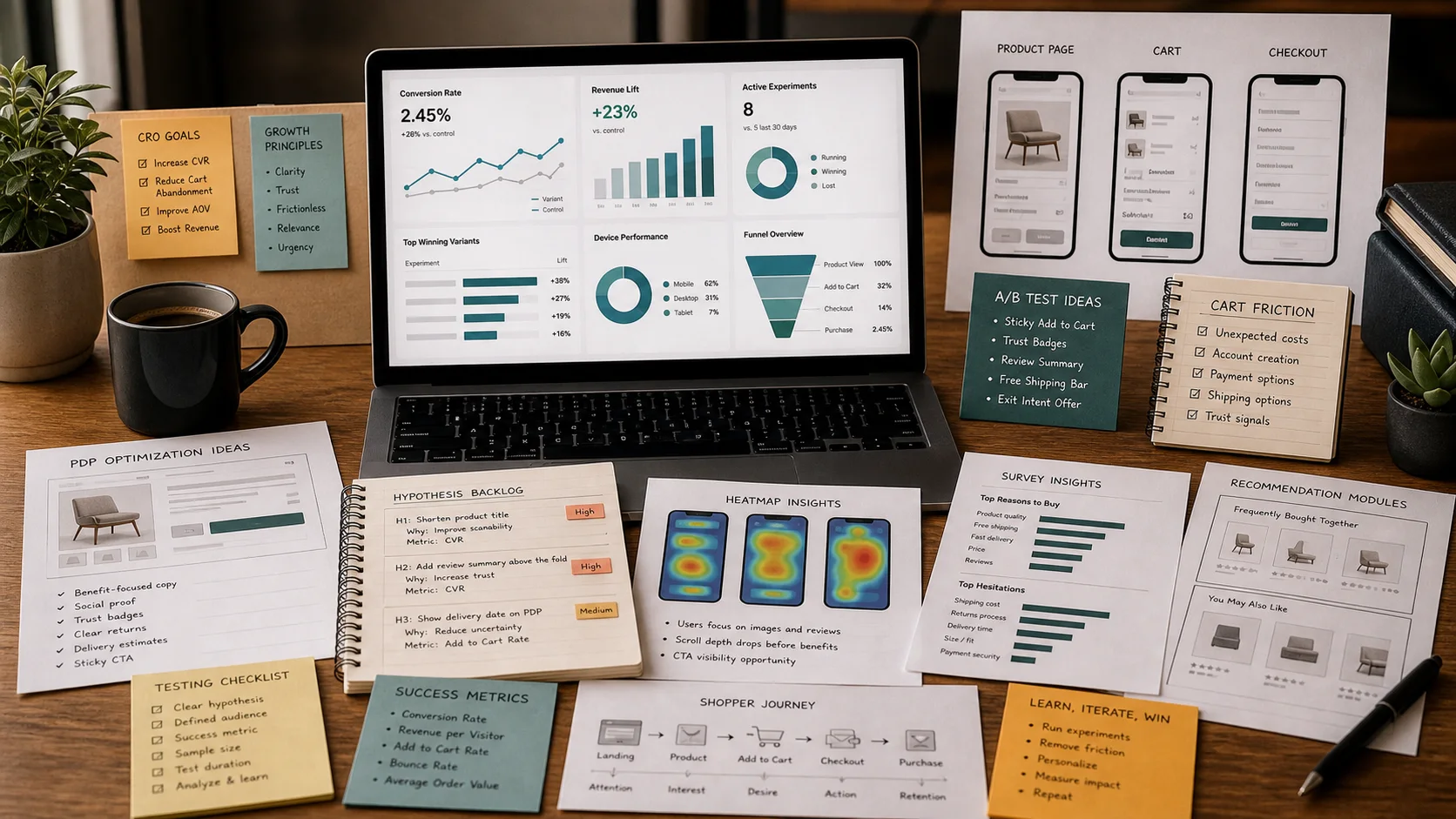
The real decision is not which tool has the most AI features. It is where your conversion problem lives and whether the tool lets you change the thing that actually moves revenue.
Most stores I work with do not have a traffic problem. They have a diagnosis problem. Shoppers land, scroll, search, add to cart, and leave without a clear reason why. The right AI CRO stack closes that gap: it shows you the friction, lets you test the fix, and automates the personalization that keeps high-intent buyers moving.
This guide covers six tools I actually use in ecommerce stacks: Hotjar, Microsoft Clarity, VWO, Optimizely, Rebuy, and Shopify Search & Discovery. I will focus on what each one does for conversion, where it breaks, and how to run a 14-day pilot without wasting engineering time.
The CRO loop you are actually buying
Before you pick software, map your workflow:
- See the problem. Session replay and heatmaps show where shoppers get stuck.
- Quantify it. Analytics and event data tell you how much revenue the friction costs.
- Hypothesize a fix. A change to copy, layout, pricing presentation, or merchandising.
- Test it. A/B or multivariate experiments with guardrails.
- Scale it. Personalization, automated merchandising, or search tuning.
No single tool does all five well. Hotjar and Clarity dominate observation. VWO and Optimizely run experiments. Rebuy and Shopify Search & Discovery handle merchandising and discovery. Your stack should overlap as little as possible and connect through a shared measurement layer, usually Google Analytics 4 or your data warehouse.
Tool comparison at a glance
| Tool | Core strength | Data type | Runs experiments? | Pricing model | Best for |
|---|---|---|---|---|---|
| Hotjar | Qualitative feedback + heatmaps | Heatmaps, replays, surveys, funnels | No | Free tier; paid plans scale with sessions | Small-to-mid stores validating UX friction |
| Microsoft Clarity | Free session replay + heatmaps | Heatmaps, replays, rage/dead clicks | No | Free | Budget-conscious teams and Microsoft ad stacks |
| VWO | Full-stack A/B testing | Experiment results, segmentation, surveys | Yes | Tiered by monthly tracked users | Mid-market teams running frequent tests |
| Optimizely | Enterprise experimentation + personalization | Experiment results, feature flags, CDP | Yes | Custom enterprise pricing | Large catalogs and complex organizations |
| Rebuy | AI-powered upsells and merchandising | Recommendation events, cart actions, revenue attribution | Limited (rules + ML) | Platform fee + usage / revenue share | Shopify stores optimizing cart and post-purchase |
| Shopify Search & Discovery | Native search, filters, and recommendations | Search queries, filter usage, boost events | No (native tuning) | Free with Shopify | Shopify stores with weak onsite discovery |
Use this table to avoid buying two tools that solve the same problem. If you already pay for VWO, you probably do not need Optimizely. If you run Shopify and your search is broken, start with Shopify Search & Discovery before you buy a third-party search app.
Hotjar
Hotjar is the tool I open when a store owner says, “People are bouncing and I do not know why.” It records sessions, generates heatmaps, and collects on-site surveys. The AI angle is light but useful: Hotjar can auto-categorize open-ended survey responses and surface recurring complaints without you reading every comment.
Where it fits in the stack
Use Hotjar after you see a drop in a funnel step but before you run an experiment. If your checkout abandonment spikes on mobile, watch 20–30 replays of users who reached the shipping page and left. Look for repeated taps, zooming, or form errors. Then run a targeted survey asking, “What almost stopped you from buying today?”
Failure modes I have seen
- Recording every session and never watching any. Storage fills up; insight stays at zero.
- Asking survey questions that are too broad. “How was your experience?” produces noise. Ask about a specific page or action.
- Treating heatmaps as proof. A hot spot only tells you where people click, not whether the click helped conversion.
Guardrails
- Set a sampling rate that matches your traffic. On high-volume stores, 5–10% of sessions is usually enough.
- Tag recordings by funnel stage so you are not hunting through thousands of clips.
- Pair every survey with a metric you can move, not just a satisfaction score.
Demo script
Ask the vendor or your internal admin these five questions before you commit:
- How does sampling work at our current monthly session volume, and what happens if we exceed the plan limit?
- Can we filter recordings by events from our analytics stack, such as “added to cart but did not purchase”?
- What survey targeting rules are available by URL, device, and behavior?
- How are open-ended responses categorized, and can we train or override the categories?
- What is the data retention policy for recordings and survey responses?
Microsoft Clarity
Clarity is Microsoft’s free session replay and heatmap tool. It is not as feature-rich as Hotjar, but the price is hard to beat. It integrates cleanly with Bing Webmaster Tools and Microsoft Advertising, which makes it attractive if you run a Microsoft ad stack.
Where it fits in the stack
Clarity is my go-to for quick diagnostics. If a product page conversion rate drops overnight, I can have a heatmap and replay cohort running within an hour. The “rage clicks” and “dead clicks” reports are genuinely useful: they show where users think something should be clickable but is not.
Failure modes I have seen
- Assuming free means unlimited. It is unlimited for most sites, but enterprise-level traffic may need a conversation with Microsoft.
- Ignoring privacy settings. Clarity records sessions by default; configure exclusions for password fields, payment forms, and PII.
- Using it as a permanent analytics replacement. It is an observation layer, not a measurement layer.
Guardrails
- Mask sensitive fields immediately during setup.
- Use filters to isolate segments: new vs. returning, mobile vs. desktop, traffic source.
- Export interesting sessions into your experiment briefs; do not let insight live only in Clarity.
Demo script
- What data masking options are available out of the box, and how do we exclude payment fields?
- How does Clarity handle high-traffic sites, and are there any rate limits we should plan for?
- Can we send custom events or user properties from Google Tag Manager or our data layer?
- What is the lag between a live session and a replay becoming available?
- How do rage-click and dead-click reports map to actual conversion loss?
VWO
VWO is the most complete mid-market experimentation platform on this list. It covers A/B testing, multivariate testing, surveys, session replay, personalization, and server-side tests. I use it when a team wants one platform for both observation and experimentation.
Where it fits in the stack
VWO shines on product page tests. You can test hero image layouts, variant selectors, sticky add-to-cart buttons, and price anchoring without deploying code for every variation. The visual editor is good enough for marketers, and the code editor gives developers control when needed.
Failure modes I have seen
- Running tests without enough traffic. A test that needs 10,000 visitors per variant will never reach significance on a store with 500 visitors a week.
- Testing too many variables at once. You will know a combination won, but not why.
- Stopping tests the moment a variant looks positive. Wait for the calculated sample size and a full business cycle.
Guardrails
- Use a pre-test sample size calculator and lock the end date before launch.
- Segment results by device and traffic source; a winner on desktop can be a loser on mobile.
- Keep a test log with hypothesis, primary metric, and learnings so failed tests still produce value.
Demo script
- How does the visual editor handle dynamic Shopify content, such as variant selectors and metafields?
- What is the traffic allocation logic, and can we run a test to 100% of eligible users after a winner is declared?
- How do you calculate and report statistical significance, and can we set our own confidence level?
- What server-side or API-based testing options exist for checkout or headless storefronts?
- How does the integration with GA4 or Segment work for revenue attribution?
Optimizely
Optimizely is the enterprise choice. It is powerful, expensive, and usually overkill for a single Shopify store. I include it because large ecommerce brands with multiple storefronts, teams, and compliance needs eventually hit the ceiling of simpler tools.
Where it fits in the stack
Optimizely combines experimentation with feature flagging, content personalization, and a customer data platform in some packages. If you need to run tests across web, mobile app, and in-store kiosks with shared audiences, Optimizely is built for that.
Failure modes I have seen
- Buying the platform before the team can run a clean A/B test. The tool does not create a testing culture.
- Letting multiple teams launch overlapping experiments without a governance process.
- Underestimating implementation time. Enterprise experimentation often takes months, not weeks.
Guardrails
- Start with one team and one metric, not a company-wide rollout.
- Use feature flags to separate risky code deploys from experiment launches.
- Establish an experimentation council that approves hypotheses and reviews winners.
Demo script
- What is the minimum contract size and implementation timeline for an ecommerce site of our scale?
- How do you handle audience synchronization across web, app, and email channels?
- What guardrails exist to prevent conflicting experiments across teams or regions?
- Can we run server-side tests on Shopify Plus checkout or a headless frontend?
- How does the platform attribute revenue when a user sees multiple experiments in one session?
Rebuy
Rebuy is an AI merchandising and upsell platform built for Shopify. It sits at the point where observation turns into automated action. Instead of just showing you that shoppers abandon cart, it generates smart cart, checkout, and post-purchase offers based on cart contents, browsing history, and purchase patterns.
Where it fits in the stack
Rebuy is strongest for stores with enough order history to train recommendations. It can power “frequently bought together,” “complete the look,” reorder prompts, and subscription offers. The AI is not magic; it works best when you give it clean product relationships and exclude low-margin or out-of-stock items.
Failure modes I have seen
- Recommending the same bestseller to everyone, which trains customers to wait for discounts.
- Adding upsells too early in the funnel and increasing cart abandonment.
- Not A/B testing the offer rules. The default rules are rarely optimal for your catalog.
Guardrails
- Cap the number of offers per session so the experience does not feel aggressive.
- Exclude products with low inventory or low margin from automated recommendations.
- Measure incremental revenue, not just attributed revenue. A shopper might have bought the item anyway.
Demo script
- How does the recommendation model use our historical order data, and how much data is needed before it performs well?
- Can we set rules that override AI recommendations for specific products, collections, or margins?
- Where can offers appear, and can we control the sequence across cart, checkout, and post-purchase?
- How do you attribute revenue to a recommendation, and can we run holdout groups to measure incrementality?
- What happens when a recommended product goes out of stock or changes price?
Shopify Search & Discovery
Shopify Search & Discovery is the native, free tool for improving onsite search, filters, and product recommendations. It is the first place I look when a Shopify store tells me shoppers cannot find products.
Where it fits in the stack
You can create synonyms so “sneakers” and “trainers” return the same results, boost products for specific queries, and build collection filters that actually match how customers shop. The AI component helps with query understanding and ranking, but the real conversion lift comes from merchandising discipline: knowing what shoppers search for and making sure the right products surface.
Failure modes I have seen
- Turning on search without checking the top 50 queries. If your top query returns zero results, you are leaking revenue.
- Adding filters that no one uses. Every filter is cognitive load.
- Ignoring the “no results” report. That report is a direct list of missed sales.
Guardrails
- Audit top queries weekly for the first month, then monthly.
- Use product boosts sparingly; over-boosting trains the algorithm and annoys shoppers.
- Align filters with the attributes customers actually ask about, not every metafield in your catalog.
Demo script
- What search analytics are available, and can we export top queries, null results, and click-through rates?
- How do synonyms, plural forms, and spelling corrections work, and can we override them?
- What controls do we have over product ranking for specific search terms?
- How do recommendation logic and “related products” placements interact with the theme?
- Can we A/B test search configurations, and what metrics should we track?
How to stack these tools without overlap
A typical mid-market Shopify stack looks like this:
- Observation: Microsoft Clarity for always-on replays, Hotjar for targeted surveys.
- Experimentation: VWO for product page and cart tests.
- Merchandising: Rebuy for cart and post-purchase offers.
- Discovery: Shopify Search & Discovery for search, filters, and related products.
If you are enterprise or headless, swap VWO for Optimizely and add a dedicated search vendor. If you are pre-launch or low traffic, start with Clarity and Shopify Search & Discovery only. Do not buy an experimentation platform until you have enough visitors to reach statistical significance.
14-day pilot checklist
- Day 1: Pick one metric to move. Usually add-to-cart rate, checkout conversion, or revenue per session.
- Day 2: Install Microsoft Clarity and configure field masking for checkout.
- Day 3: Watch 20 replays of users who reached your target step but did not convert. Tag the top three friction patterns.
- Day 4: Run a Hotjar survey on the page with the highest drop-off. Ask one open-ended question.
- Day 5: Export your Shopify Search & Discovery top 50 queries and flag any null results.
- Day 6: Map each friction pattern to a hypothesis. Example: “If we move the size guide above the add-to-cart button, mobile add-to-cart rate will rise.”
- Day 7: Prioritize hypotheses by expected impact and implementation effort. Pick the top one.
- Day 8: Set up the experiment in VWO or your chosen testing tool. Define primary metric, sample size, and run duration.
- Day 9: QA the test across desktop, iOS, and Android. Check that revenue tracking fires correctly.
- Day 10: Launch the test to 50% of traffic. Do not peek at results until the pre-set end date.
- Day 11: Configure Rebuy rules for one high-margin complementary product. Exclude out-of-stock items.
- Day 12: Review Clarity heatmaps for the test page to see if the variant changes behavior as expected.
- Day 13: Close the experiment. Declare a winner, loser, or inconclusive result. Document learnings.
- Day 14: Plan the next test or rollout. If the winner is clear, deploy it to 100% and move to the next hypothesis.
If you cannot complete a step, that is data. It usually means your analytics setup, traffic volume, or team process needs work before you buy more software.
TLDR
- Start with diagnosis, not tools. Session replay and search analytics find the real leaks.
- Hotjar and Microsoft Clarity are the best observation tools. Clarity is free; Hotjar adds surveys and better categorization.
- VWO is the safest mid-market experimentation platform. Optimizely is for large, complex organizations.
- Rebuy automates upsells and merchandising on Shopify, but only after you have clean product data and enough order history.
- Shopify Search & Discovery is free and fixes the most common conversion killer on Shopify: shoppers who cannot find what they want.
- Run a 14-day pilot with one metric, one observation tool, one experiment, and one merchandising change before you commit to annual contracts.
FAQ
Do I need AI in every CRO tool?
No. AI helps with categorization, recommendations, and query understanding, but most conversion gains come from watching real sessions and running disciplined experiments. Buy AI where it removes manual work, not where it replaces judgment.
Can I use Microsoft Clarity instead of Hotjar?
Yes, if your main need is session replay and heatmaps. Add Hotjar when you want targeted surveys, feedback widgets, and automated response categorization. Many teams run both because Clarity is free and Hotjar fills qualitative gaps.
How much traffic do I need to run A/B tests?
A useful rule of thumb: you need enough traffic to reach your target confidence level within a reasonable time, usually one to two business cycles. VWO and Optimizely have built-in calculators. If your test page gets fewer than a few hundred conversions per variant in a month, focus on qualitative fixes instead.
Is Optimizely worth it for a Shopify store?
Usually not for a single store. Optimizely makes sense when you have multiple storefronts, headless architecture, strict governance needs, or high-volume experimentation across teams. For most Shopify brands, VWO or even native Shopify tests are enough.
What is the fastest win with Shopify Search & Discovery?
Fix null-result queries. Export your top searches, add synonyms for common terms, and make sure your best-selling products rank for the queries that already drive traffic. That alone often lifts search conversion within days.
How do I measure whether Rebuy is actually incremental?
Run a holdout group. Show the recommendation widget to 90% of eligible users and withhold it from 10%. Compare revenue per visitor between the two groups over a full business cycle, not just attributed revenue. If the holdout group buys nearly as much, the offers are mostly shifting sales, not growing them.