Best tools
Best AI Review Analysis Tools for Ecommerce
Compare Yotpo, Okendo, Judge.me, Stamped, Gorgias ticket themes, and custom LLM pipelines for AI review analysis. Demo scripts, failure modes, and stack picks by stage.
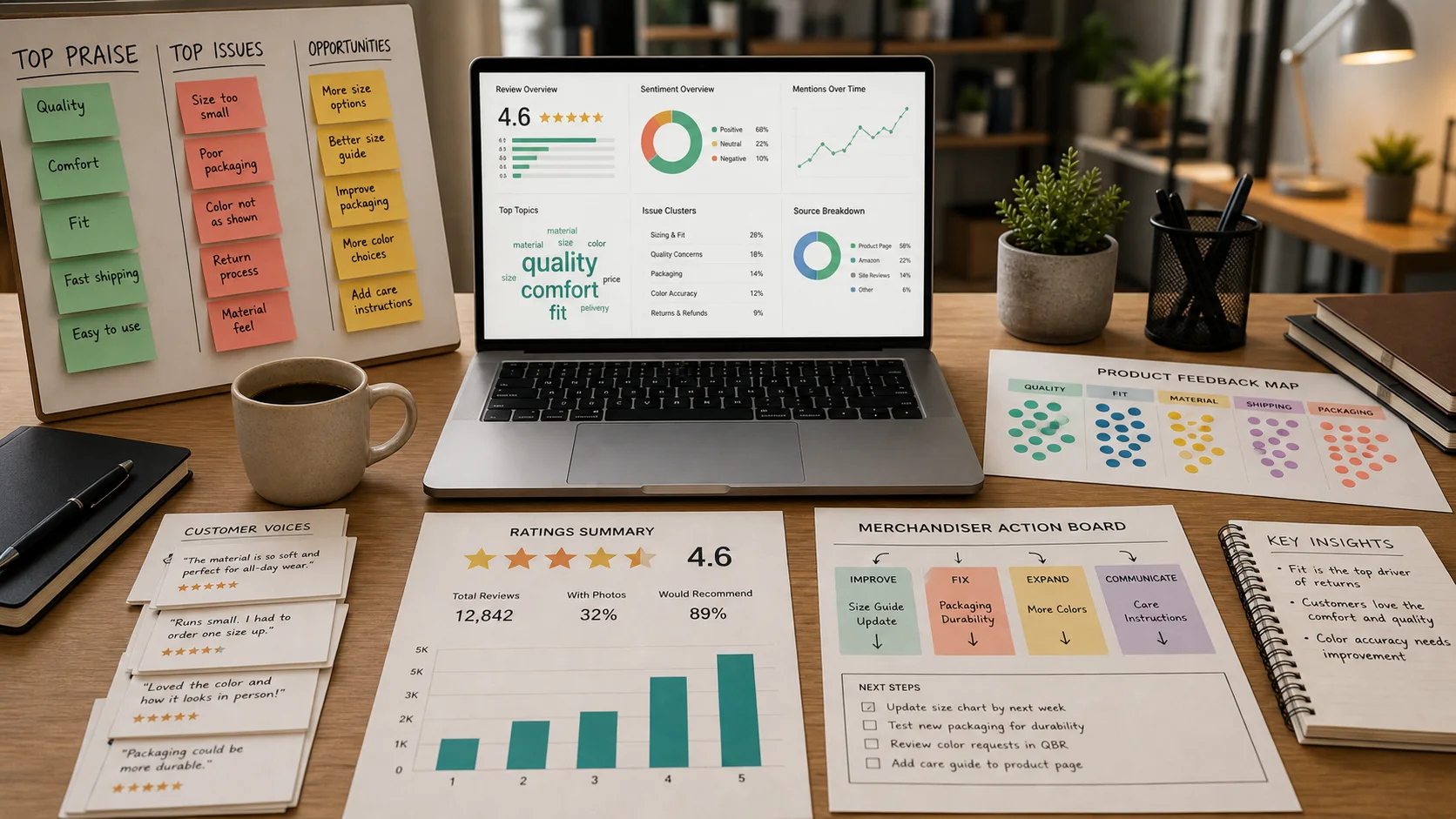
The real decision is not which dashboard has the prettiest AI badge. It is whether a sentence in a customer review can reach the person who fixes the product page, updates the size chart, recalls a defective batch, or rewrites a support macro. Most review apps collect stars and photos just fine. The ones that matter turn that text into structured voice-of-customer data and push it into the systems where work actually happens.
This guide compares the tools I actually see in ecommerce stacks: Yotpo, Okendo, Judge.me, Stamped, Gorgias ticket themes, and a custom LLM pipeline over exports. The focus is theme extraction, defect clustering, routing feedback to product and support, fake review risk, and closed-loop follow-up. I have included a demo script for each tool, a comparison table, and a 14-day pilot checklist so you can test claims instead of trusting marketing slides.
TLDR
- Yotpo is the best fit for high-volume DTC brands that want review themes tied to SMS, email, loyalty, and Google Shopping. The AI layer is mature, but the price and contract complexity scale with volume.
- Okendo wins for attribute-heavy categories like beauty, fashion, and home goods where fit, material, and scent matter. The structured review form makes theme extraction cleaner.
- Judge.me is the practical default for bootstrapped Shopify stores. It is cheap, fast to deploy, and good enough for photo reviews and basic summaries, but weak on cross-team workflow.
- Stamped suits mid-market brands that want reviews, loyalty, referrals, and SMS in one bill. The AI features are decent, though not as deep as Yotpo or Okendo.
- Gorgias ticket themes is the right angle if your richest feedback lives in support tickets, not public reviews. Pair it with a review app or use it as the primary QA signal.
- Custom LLM over exports is for operators with a data warehouse, a developer, and a distrust of black-box taxonomies. It is the cheapest per review at scale but requires maintenance.
How to evaluate AI review analysis tools
Before you book a demo, define what “AI review analysis” means for your team. I use six tests:
- Theme extraction accuracy. Does the tool group reviews by real product issues: fit too small, battery dies fast, pump breaks: or does it just tag generic sentiment?
- Defect clustering. Can it surface a spike in “leaking bottle” or “zipper stuck” across SKUs and variants without you writing rules for every phrase?
- VoC to product and support. Can a theme auto-create a ticket, Slack message, or product-board card? If not, the insight dies in a dashboard.
- Fake review risk. Does the vendor detect duplicates, bot language, incentivized flooding, and competitor attacks? Can you audit what was removed?
- Closed-loop actions. Can you message affected customers, update a size chart, or pause ads for a SKU based on a theme?
- Data ownership and export. Can you pull raw reviews, themes, and metadata into your warehouse or switch vendors without losing history?
If a tool fails tests three and four, it is a reporting toy, not an operations tool.
Yotpo
Yotpo is the most complete reviews-and-UGC platform in the Shopify ecosystem. Its AI layer, branded as Smart Topics and review summarization, reads reviews and auto-groups them into themes like “sizing,” “shipping,” “quality,” and “customer service.” It also scores sentiment and can push those themes into Yotpo’s own SMS, email, and loyalty modules.
Where Yotpo stands out is the closed loop. A negative theme can trigger a segmented email flow, a loyalty points offer, or a support ticket. It also integrates tightly with Google Shopping, so review themes can influence paid search creative and product feed copy. For brands doing serious volume, that integration depth matters.
The downside is cost and lock-in. Yotpo’s enterprise plans are custom-priced and often require annual contracts. Smaller brands sometimes find the feature set heavy relative to the price. If you only need review collection and basic AI summaries, Yotpo is overkill.
Demo script
- How does Smart Topics map new customer phrases to a taxonomy without us pre-defining every keyword?
- Can a negative theme auto-create a ticket in Gorgias, Zendesk, or our product management tool?
- What is the latency from a review being submitted to it appearing in the theme dashboard?
- How do you detect and remove incentivized, duplicate, or bot-generated reviews?
- Can I push review themes into Klaviyo segments or flows, and what data format is sent?
Okendo
Okendo started as a reviews app built around structured attributes. Instead of a blank text box, shoppers rate specific facets like fit, fabric, durability, or scent. That structure makes AI theme extraction much more accurate because the model already knows what dimension the customer is talking about.
Okendo’s AI features include review insights, sentiment analysis, and automated topic tagging. The platform also supports media galleries, Q&A, and quizzes, so the review content connects to broader UGC and zero-party data strategies. For fashion, beauty, supplements, and home goods, the attribute-level detail is a genuine operational advantage.
The pricing model is tiered by order volume, with entry plans accessible to smaller brands and enterprise plans for larger catalogs. Okendo is less of a full marketing suite than Yotpo, which is either a pro or a con depending on whether you already have a loyalty and SMS vendor you like.
Demo script
- How are review attributes converted into theme buckets, and can we customize the taxonomy?
- Can I compare sentiment across product categories, collections, or individual variants?
- What export format and frequency do you support for warehouse and QA teams?
- How do you prevent duplicate, fake, or competitor reviews from polluting the theme data?
- What is the workflow to update a product detail page or size chart based on a detected theme?
Judge.me
Judge.me is the workhorse for Shopify stores that want reviews fast and cheap. It supports photo and video reviews, Q&A, review carousels, and basic AI-generated review summaries. The setup is simple, the support is responsive, and the price is low enough that most bootstrapped brands can justify it.
The AI side is lighter than Yotpo or Okendo. Judge.me can summarize reviews and highlight common phrases, but it does not offer deep defect clustering or automated routing to product teams. That is fine if your operation is small and one person reads every review anyway. It becomes a bottleneck once you cross a few hundred reviews per month or run multiple product lines.
Judge.me also has a strong API and webhook story for its tier, so a technical founder can pull reviews into Slack or a spreadsheet for manual theme tagging. If you are not technical, the built-in reporting is enough for social proof but not for VoC operations.
Demo script
- Which languages does the AI summary support, and how does it handle mixed-language reviews?
- Can I suppress a review and log the reason for QA without deleting the underlying feedback?
- How do you cluster reviews by product issue versus shipping or packaging issue?
- What is the API and webhook support for sending review themes to Slack or a data warehouse?
- How do you handle review authenticity and duplicate submissions?
Stamped
Stamped positions itself as a bundled retention platform: reviews, loyalty, referrals, visual UGC, SMS, and AI insights under one roof. The AI review analysis layer reads reviews, NPS responses, and survey answers to surface themes and sentiment. For mid-market brands that want one vendor and one invoice, that bundle is attractive.
The trade-off is depth. Stamped’s AI is competent at tagging and summarizing, but it is not as specialized as Okendo for attribute extraction or as connected as Yotpo for lifecycle marketing. Where it shines is tying reviews to loyalty and retention. A low-rating theme can trigger a retention email, a points offer, or a review request timing change.
Pricing is tiered by order volume and feature set, with entry plans competitive for growing stores. If you already run a separate loyalty program, Stamped’s bundle may duplicate tools rather than simplify them.
Demo script
- Does AI theme extraction work across reviews, NPS, and post-purchase surveys in one view?
- Can a low-rating theme trigger a loyalty retention email or SMS?
- How do I audit which individual reviews were used to generate a theme?
- What is the data retention and full export policy if we switch platforms?
- How are fake, duplicate, or competitor reviews flagged and removed?
Gorgias ticket themes
Not every valuable customer sentence lives in a public review. For many brands, the richest signal is in support tickets: “my order arrived melted,” “the app won’t pair,” “the sizing is off.” Gorgias captures that text and uses intent detection, auto-tagging, and rules to cluster tickets into themes.
This is not a review app, but it is a critical piece of AI feedback analysis. A Gorgias rule can tag every ticket that mentions “leak” or “broken pump,” post a summary to Slack, and create a macro for agents to respond consistently. That macro can also link to a knowledge base article that reduces repeat contacts, which ties directly to ticket deflection.
The limitation is scope. Gorgias reads tickets, not reviews, so you miss the social-proof signal unless you integrate it with a review platform. I like it as the support-led layer of a VoC stack, especially for brands where post-purchase issues show up in chat before they show up in reviews. For more on support automation, see best AI customer support tools for Shopify.
Demo script
- How does intent detection group product-defect tickets versus shipping or billing tickets?
- Can a ticket tag auto-notify the product team in Slack or create a product-board card?
- What is the accuracy of auto-tagging versus manual tagging, and how do we retrain it?
- How do I build a support macro from the top ten ticket themes each month?
- Can ticket themes feed back into review request timing or post-purchase email content?
Custom LLM over exports
If you have a data warehouse, a developer, or an analyst comfortable with Python, a custom LLM pipeline can be the cheapest and most flexible option. The workflow is straightforward: export reviews from Shopify, your review app, or your helpdesk; chunk and clean the text; run it through an LLM with a structured prompt; and store the extracted themes in a spreadsheet, database, or BI tool.
The prompt can ask for SKU, star rating, theme, sentiment, and suggested action. Embeddings can cluster semantically similar phrases like “zipper broke,” “zipper stuck,” and “zipper failed” without keyword rules. You can also cross-reference review themes with return rates, support tickets, and ad spend.
The cost is mostly API tokens and engineering time. Modern models are inexpensive for moderate review volumes, but you pay in maintenance, prompt tuning, and data hygiene. The biggest risk is hallucinated themes. You need a human review step before recalling a batch or rewriting a product page.
Demo script
Ask these internally or to the consultant building the pipeline:
- Which fields are exported, how often, and are photos or videos included?
- What model and context window can handle our monthly review volume without truncation?
- How do we map LLM themes to SKU, supplier ID, and warehouse batch for root-cause analysis?
- What is the human review step before acting on a defect cluster or changing a listing?
- How do we close the loop back to customers, support, and marketing once a theme is confirmed?
Tool comparison
| Tool | Best fit | AI depth | Closed-loop actions | Fake review handling | Pricing model |
|---|---|---|---|---|---|
| Yotpo | High-volume DTC with lifecycle marketing | Strong: Smart Topics, sentiment, summaries | Strong: email, SMS, loyalty, support tickets | Built-in fraud detection, moderation queue | Tiered by order volume; enterprise custom |
| Okendo | Attribute-heavy categories: beauty, fashion, home | Strong: attribute-driven themes and sentiment | Moderate: exports, PDP updates, integrations | Duplicate and spam filters | Tiered by order volume |
| Judge.me | Bootstrapped Shopify stores | Light: summaries and phrase highlights | Weak: mostly manual unless via API | Basic moderation and verification | Low flat tiers |
| Stamped | Mid-market wanting reviews + loyalty bundle | Moderate: themes across reviews, NPS, surveys | Moderate: loyalty and retention triggers | Spam and duplicate detection | Tiered by order volume and features |
| Gorgias ticket themes | Support-led QA and issue clustering | Moderate: intent detection and auto-tags | Strong: macros, Slack, rules, support routing | N/A for tickets; applies to reviews only via integration | Tiered by ticket volume |
| Custom LLM over exports | Data-mature brands with engineering resources | Variable: depends on prompt and model | Manual or custom-built | Custom rules and pattern detection | API tokens + engineering time |
14-day pilot checklist
- Day 1: Export the last 90 days of reviews and support tickets into a spreadsheet or warehouse. Note the fields you have: SKU, rating, text, date, verified purchase flag, photos.
- Day 2: Manually tag 200 reviews with the top ten themes you care about. This becomes your ground truth.
- Day 3: Install or access the tool’s trial. Connect your Shopify store and import historical reviews.
- Day 4: Run the same 200 reviews through the tool’s AI and compare its themes to your manual tags. Count false positives and misses.
- Day 5: Test defect clustering. Pick one known issue and see if the tool surfaces it without you naming it.
- Day 6: Configure a routing rule. Send a negative theme to a Slack channel, support ticket, or product board.
- Day 7: Review fake detection. Submit a duplicate review and a generic bot-sounding review. See what happens.
- Day 8: Test closed-loop messaging. Trigger an email or SMS to customers who left a specific low-rating theme.
- Day 9: Pull a full export. Check whether you own the raw text, themes, and metadata.
- Day 10: Interview the product team. Did the routed themes lead to a listing change, supplier call, or inventory hold?
- Day 11: Interview support. Did the themes reduce repetitive questions or improve macro quality?
- Day 12: Interview marketing. Can the themes be used in Klaviyo segments, ad copy, or PDP updates?
- Day 13: Calculate cost per actionable insight. Divide the monthly tool cost by the number of themes that led to a change.
- Day 14: Make a go or no-go decision. Document which themes the tool caught, which it missed, and the operational load it added.
Embedding review themes into lifecycle messaging
Once you have reliable themes, the next step is to use them where they influence revenue. A “fits small” theme should not just sit in a report; it should update the size chart, trigger a fit-guide email before delivery, and inform ad creative. A “pump breaks” theme should pause ads for that SKU, notify QA, and trigger a proactive support message.
The most effective operators push review themes into their retention stack. If a customer leaves a review mentioning a specific issue, that theme can become a Klaviyo segment or a post-purchase flow branch. For a deeper walkthrough of how to structure that, see AI retention lifecycle post-purchase ecommerce.
Surveys are another input. Review themes tell you what already happened; surveys tell you what customers almost said. Pairing both gives you a fuller VoC picture. Read more in best AI survey tools for post-purchase ecommerce feedback.
If you are running Gorgias or another support platform, review themes and ticket themes should share a taxonomy. That way the same “leaking bottle” tag shows up in reviews, tickets, and QA logs. Reducing the support load from known issues is covered in reduce repetitive support tickets.
FAQ
Do I need a separate review app if I already use Gorgias?
Not necessarily. If your richest feedback is in support tickets, Gorgias intent detection and tags can serve as your primary QA signal. But public reviews still matter for social proof, SEO, and ad creative. Most brands use a review app for collection and Gorgias for support-led theme analysis.
Can AI review analysis really replace reading reviews manually?
At low volume, no. A founder reading every review will still catch nuance that a model misses. At scale, AI is essential for clustering and routing. The best setup is AI surfacing themes and humans validating the ones that lead to product or listing changes.
How do I avoid fake reviews skewing my themes?
Start with verified purchase gating. Then use the vendor’s spam filters, duplicate detection, and manual moderation queue. Finally, audit your theme dashboard for sudden spikes that do not match support ticket volume or return rates.
Should I use the same tool for reviews and loyalty?
Only if the bundle genuinely reduces complexity. Stamped and Yotpo both bundle reviews with loyalty, SMS, and referrals. If you are happy with your existing loyalty vendor, do not switch just for AI review analysis. The integration quality matters more than the bundle.
What is the cheapest way to start with AI review analysis?
Judge.me plus a manual spreadsheet is the cheapest entry point. If you are technical, exporting reviews and running them through an LLM API is also inexpensive at low volume. Both require more human time than enterprise tools, so the “cheap” option depends on who is doing the work.
How do I measure ROI?
Track three numbers: the number of themes that led to a product or listing change, the reduction in support tickets for those themes, and the change in return rate or review sentiment after the fix. Cost per actionable insight is the simplest north star.