Ecommerce topic brief
WhatsApp AI Agent for Ecommerce
A WhatsApp AI agent is useful only if it respects how WhatsApp support actually works: short messages, identity ambiguity, template rules, consent, approval gates, and fast escalation when the customer is upset. For ecommerce, the agent should retrieve order data, answer from approved policies, start safe workflows, queue risky actions for review, and hand off with context. A bot that only says 'please provide your order number' is not enough.



TL;DR
Decision brief
A WhatsApp AI agent is useful only if it respects how WhatsApp support actually works: short messages, identity ambiguity, template rules, consent, approval gates, and fast escalation when.
What matters
- What a WhatsApp AI agent actually is
- How WhatsApp AI agents work for ecommerce
- What a WhatsApp AI agent can handle in an online store
- Understand the category before comparing vendors.
- Map the capability tiers to your own support volume.
- Use the related guide or tool page when you need implementation detail.
What a WhatsApp AI agent actually is
A WhatsApp AI agent is a support layer connected to the WhatsApp Business Platform, your commerce data, your approved knowledge sources, and your human handoff process. It should understand short, messy customer messages; retrieve order or policy context; respond inside WhatsApp's messaging rules; and escalate when identity, money, compliance, or emotion make automation risky.
The important distinction is control. A useful agent does not merely generate friendly text. It checks whether the customer is inside a permitted messaging window, verifies order ownership before exposing details, avoids proactive outreach without the right template and consent, and gives a human the full context when it cannot finish the job. Keep three lanes separate: safe automated answers for verifiable facts, approval workflows for financial or operational changes, and human-only workflows for disputes, fraud, angry customers, regulated products, legal language, or anything the team would not let a junior agent decide alone. For ecommerce, WhatsApp is intimate. Bad automation feels more intrusive there than on a website chat widget.
How WhatsApp AI agents work for ecommerce
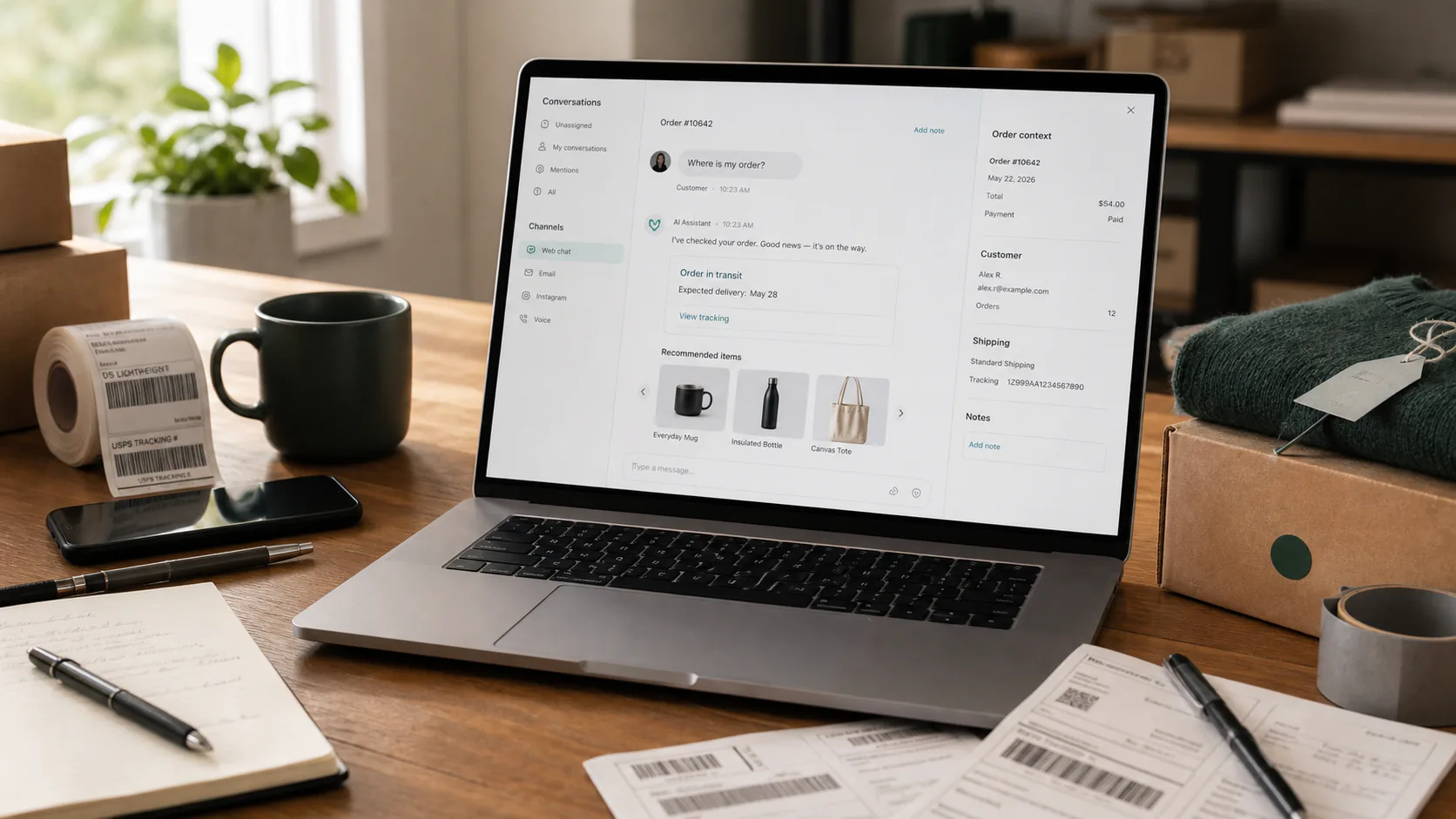
The channel architecture has four layers. Meta's WhatsApp Cloud API or a Business Solution Provider handles phone numbers, message delivery, webhooks, media, templates, and platform policy constraints. The AI platform receives inbound events, identifies the customer, and decides whether the message is a support request, sales question, reply to a template, or handoff request. The commerce layer queries Shopify, WooCommerce, a returns tool, a shipping platform, or a helpdesk. The governance layer decides what can be answered automatically, what needs approval, and what must move to a person.
The WABA and provider choice matters. Some teams connect directly to Cloud API; others use a BSP for onboarding, template operations, billing, inbox features, regional support, or higher-touch implementation. Compare phone-number ownership, migration rules, webhook access, template tooling, support SLAs, per-message costs, conversation charges, markup, and whether the vendor can show production API usage instead of a simulated demo. The key implementation choice is WhatsApp-first versus omnichannel. WhatsApp-first systems tend to be stronger at templates, broadcasts, opt-in operations, and channel-specific analytics. Omnichannel AI systems are stronger when the same customer starts on web chat, follows up on WhatsApp, and later emails support, but only when identity matching is reliable enough to merge records safely. Ecommerce teams should choose based on where customer identity lives, not only where the first message arrives.
What a WhatsApp AI agent can handle in an online store
An ecommerce WhatsApp AI agent handles a range of customer inquiries that would otherwise fill a support queue. Order status is the safest starting point: the customer sends their order number or asks about a recent purchase, the agent verifies identity, queries your store API, and responds with the current status, tracking link, and estimated delivery date. Shipping and delivery questions are similar but often require the agent to interpret carrier status updates and explain delays in plain language. Return and exchange requests should usually be split into steps: the agent can check whether the order is within your return window, verify item eligibility, provide return instructions or a label link, and create a ticket for your team to finalize the refund. Product availability questions are answered by querying your product catalog and inventory levels. Order modification requests such as address changes or cancellations require more careful handling: the agent should verify the order status first and queue the action for approval if fulfillment, payment, or fraud rules make it risky. Payment-related queries including COD verification, payment failure notices, and invoice requests are common in markets where cash on delivery and bank transfers are prevalent, but disputes and duplicate charges should stay human-led.
Post-purchase follow-up messages such as delivery confirmation, review requests, and reorder reminders are proactive use cases where the agent reaches out within WhatsApp template messaging rules. Treat these as channel operations, not casual model output: templates affect approval, quality rating, customer blocks, and cost. A high-performing support agent can still be a bad WhatsApp program if it sends too many low-value messages.
WhatsApp AI agent vs web chat: what is different for ecommerce
WhatsApp changes the support contract. The conversation is persistent, tied to a phone number, and often mixed with personal messages. Customers expect continuity, but phone number identity is not enough to expose order data; shared family phones, forwarded confirmations, and old numbers are real edge cases. Require lightweight verification before revealing private order details.
Web chat is more session-based and easier to keep within the storefront. WhatsApp is better for asynchronous follow-up, delivery updates, return labels, photos of damaged products, and markets where customers prefer messaging over email. It is also easier to overuse. Proactive messages should be sparse, consented, template-compliant, and genuinely useful. A good WhatsApp agent is not louder than web chat; it is more careful.
Setting up a WhatsApp AI agent for Shopify and WooCommerce
Start with the channel foundation: WhatsApp Business account setup, phone number strategy, opt-in language, template library, escalation inbox, and ownership for failed sends. Then connect commerce data. Shopify usually uses app authorization and scoped Admin API access. WooCommerce usually uses a connector plugin or REST API keys, with extra testing for host firewalls, cache rules, and plugin-specific fields.
Before launch, run a small test matrix. Ask about a valid order, an order under a different phone number, a cancelled order, a split shipment, an ineligible return, a damaged product with a photo, a payment failure, and a human-agent request. Test both inside and outside the 24-hour customer-service window. The agent should know when it can send free-form replies, when it needs an approved template, when a template category changes cost or approval risk, and when it should wait for the customer to re-engage. Also test the handoff edge case: if the service window closes while a human queue is backed up, the next response may require an approved template or a customer re-entry message rather than a normal agent reply.
Compliance, templates, and WhatsApp Business policy
Meta's WhatsApp Business Platform rules are not an implementation detail; they shape the product. Customer-initiated conversations open a customer-service window where free-form support replies are allowed. Outside that window, businesses generally need approved message templates for outreach. Templates are categorized, reviewed, and managed through WhatsApp business tooling, so an AI agent must know which template is allowed for which purpose.
For ecommerce, create separate templates for order confirmation, shipping update, delivery issue, return reminder, payment reminder, and review request instead of using one vague template for everything. Keep marketing and utility messages distinct. Capture opt-in clearly at checkout or another explicit consent point. Monitor blocks, reports, failed sends, template quality, and quality-rating changes that can affect messaging limits. Cost also belongs in governance: conversation category, country, provider markup, and template mix can change the economics of automation. If the AI tries to continue a conversation after the window closes with an ordinary generated reply, the issue is not a model error; it is a channel governance failure.
Measuring WhatsApp AI agent performance in ecommerce
Measure WhatsApp AI on both support quality and channel health. Support metrics include correctly resolved conversations, escalations, reopened conversations, first-response time, time to verified order lookup, failed tool calls, and CSAT by intent. Channel metrics include template approval or rejection, failed sends, blocks, reports, opt-out requests, and performance by template category.
Do not celebrate deflection alone. A conversation should count as resolved only if the customer got a complete answer or completed workflow without later re-opening the issue. Track identity failures separately: wrong-customer matches, missing verification, and cases where the agent could not connect the phone number to an order. For WhatsApp, trust is a metric. If automation increases blocks or opt-outs, the agent is damaging the channel even if it answers quickly.
Choosing a WhatsApp AI agent platform for ecommerce
Evaluate WhatsApp platforms by the job you need them to do. WhatsApp-first tools are useful when template management, broadcasts, and channel operations matter most. Omnichannel AI platforms are better when WhatsApp is one support channel among web chat, email, Messenger, Telegram, or LINE, provided they can prove safe identity resolution across channels instead of simply labeling every profile as unified. Helpdesk platforms are best when your team already lives in Zendesk, Intercom, Gorgias, or a similar workspace.
The demo should prove five things: the platform is approved for WhatsApp Business use, it handles the 24-hour customer-service window correctly, it can match a WhatsApp user to a store customer without exposing the wrong order, it retrieves live order or return data from production APIs or a faithful staging equivalent, and it escalates to a human with the transcript and any data already fetched. For procurement and security review, ask for data-processing terms, retention controls, audit logs, role-based access, encryption posture, subprocessors, regional hosting details, and proof of WhatsApp integration status through Meta or the BSP. If a vendor cannot show those steps, treat the AI claim as unverified.
Written by Priya Mehta, Ecommerce Support Strategist. Last updated: May 2026. We research and review ecommerce support tools using publicly available information, official documentation, and credible third-party sources. We do not accept payment for rankings or inclusion. Read our full editorial policy.
Common questions
Frequently asked questions
Is a WhatsApp AI agent better than web chat for ecommerce?
Neither is universally better. WhatsApp is strong for persistent, asynchronous conversations and post-purchase follow-up. Web chat is strong for shoppers already on the site. Many stores use both, with different rules for identity verification, proactive messaging, and handoff.
Do I need WhatsApp Business API or is the WhatsApp Business App enough?
You need WhatsApp Business API. The WhatsApp Business App is designed for small businesses with manual messaging. It does not support AI agent integration, webhooks, or automated message handling. The API is the only path to connecting an AI agent to WhatsApp.
How long does WhatsApp template approval take?
Approval timing can vary, so check Meta's current template documentation and your provider's guidance. Templates that are specific, correctly categorized, and compliant with WhatsApp policies are less likely to be rejected. Avoid promotional language in utility templates.
Can WhatsApp AI agents send promotional messages?
Only within WhatsApp's rules and with the right consent. Outside the customer-service window, promotional outreach generally requires an approved marketing template. Keep support automation and marketing automation separated so the agent does not turn a service thread into spam.
What happens when the AI cannot answer on WhatsApp?
The AI agent should escalate the conversation to a human agent when it encounters a query it cannot handle. The handoff should include the full WhatsApp conversation history, customer context, and any actions already taken. The human agent continues in the same WhatsApp thread when the service window and tooling allow it; if the window closes before the team responds, the next message may need an approved template or the customer may need to message again.



Operator brief
Pressure-test your next AI workflow before rollout.
Use the worksheet to audit workflows, vendor claims, data readiness, guardrails, and measurement before you commit to a tool.
- Workflow audit worksheet
- AI vendor demo questions
- Data, rollout, and measurement checks